

macOS Confronts Rising Threats from AppleScript Files’ Weaponization

“Recently, macOS has been facing a huge amount of cyber threats because of AppleScript Files.”
As criminals repurpose AppleScript files that were previously primarily employed by state-sponsored actors, security researchers are alerting us to a subtle but major shift in macOS cyber-threats.
The method, which is already proliferating through commodity malware operations, makes it possible for covert infections to occur, creating new difficulties for Apple’s built-in defenses to detect.
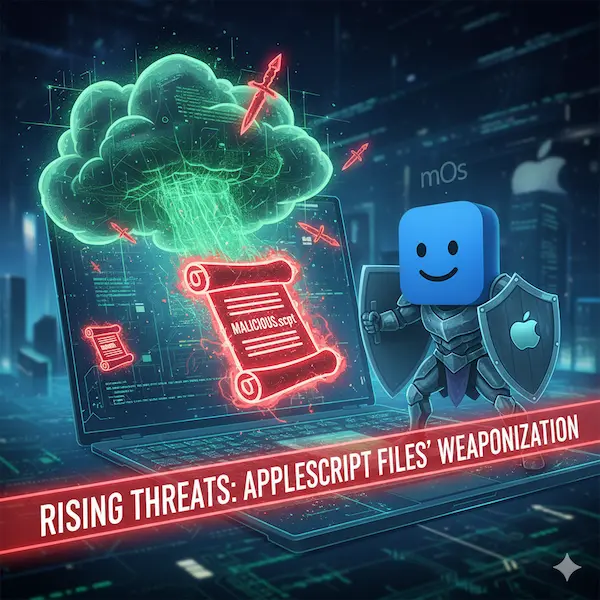
A Method Previously Employed by APTs Entering the Criminal Mainstream
AppleScript files with the .scpt extension, which were previously thought to be a specialized infiltration vector, are now showing up across an increasing number of commodity malware families, according to researchers monitoring macOS threat campaigns.
The technique, which was previously linked to advanced persistent threat groups that targeted Apple systems, is being used to distribute malware installers, phony software updates, and credential-stealers that pose as legitimate documents.
Payloads have started to be packaged inside compiled AppleScript files by families like MacSync and Odyssey Stealer. These files are frequently provided as what appear to be Zoom or Microsoft Teams update prompts.
The change comes after Apple eliminated the “right-click and open” workaround that had previously made it possible to get around Gatekeeper in August 2024. Threat actors, according to analysts, are experimenting with new user-interaction channels to start programs without causing the typical permission questions.
In the past, a lot of macOS viruses spread via fake Homebrew installers or disk image (DMG) files intended to trick users into using Terminal. Attackers are now using.scpt files as weapons to replicate comparable social engineering pressure points in a format that is more compatible with macOS’s scripting environment and seems less suspicious.
Hidden Commands and Disguised Documents
Bundling .scpt malware into files that look like regular office documents is one of the most successful strategies found in recent samples. Researchers have discovered fraudulent update scripts, including Zoom_SDK_Update.scpt, MSTeamsUpdate.scpt, and InstallSoftZone.scpt, as well as booby-trapped copies with the names Apeiron_Token_Transfer_Proposal.docx.scpt and Stable1_Investment_Proposal.pptx.scpt.
When opened in Finder, many of these files appear identical to actual Word, PowerPoint, or installation packages because they employ unique icons that are directly integrated into the resource fork.
When they are opened, macOS automatically opens them in Script Editor, which shows several lines of innocuous-looking comments over lengthy blank spaces. A perception of security is created by pushing the actual payload code far down the window, frequently out of sight.
After that, victims are urged to hit Command-R or click “Run,” thinking they are enabling document previews or update procedures. Rather, the scripts silently carry out commands like perform shell script or remote curl queries, allowing attackers to start hidden installers or retrieve secondary payloads.
In order to complicate static analysis and evasion tactics that are more prevalent in PowerShell malware on Windows computers, some copies even spread additional harmful DMGs, such as 888.scpt, while others split payload strings across numerous AppleScript variables.
MacOS Users Are Exposed to Detection Gaps
Researchers claim that antivirus detection is uneven despite the increasing use of .scpt-based delivery methods. Compiled AppleScript code and obfuscation techniques are difficult for typical security tools to identify, as demonstrated by the fact that several live samples uploaded to VirusTotal revealed zero detections.
Threat actors are now able to experiment more aggressively because of these restrictions. Additionally, analysts have noted cross-platform behavior traits that are usually linked to highly developed malware ecosystems, such as modular payload fetching, stealthy shell command execution, and staged delivery.
Security teams stress the need to keep an eye on Script Editor-launched processes and report any unusual network activity or Terminal-related anomalies on macOS endpoints. Event logs indicating the use of .docx,.pptx, or .scpt extensions within Script Editor should be regarded as warning signs right away.
Novel Defensive Techniques, Yet a Changing Danger
To lessen the possibility of unintentional execution, researchers suggest a number of mitigating measures, starting with switching the default handler for .scpt and .applescript files to non-executable editors like TextEdit.
Additionally, companies are creating unique endpoint detection rules that identify compiled AppleScript event codes like “sysoexec,” which are frequently associated with shell-script execution.
Analysts claim that the combination of social engineering and scripting misuse is the larger issue. The conventional belief that Apple systems are less targeted is eroding as macOS threat actors use enterprise-grade strategies, such as embedded payloads, icon-spoofing, and Terminal evasion.
For the time being, researchers are rushing to stay up with a malware landscape that is becoming more complex, one in which commonplace document icons may hide some of the most covertly successful strategies found in macOS attacks to date.
About The Author
Suraj Koli is a content specialist in technical writing about cybersecurity & information security. He has written many amazing articles related to cybersecurity concepts, with the latest trends in cyber awareness and ethical hacking. Find out more about “Him.”
Read More:
Maverick, WhatsApp Malware Target Brazil’s Biggest Banks by Hijacking Browser Sessions
About Author




 English