

Phone Freezes After Clicking a Link? UPI Fraud Risks & Prevention
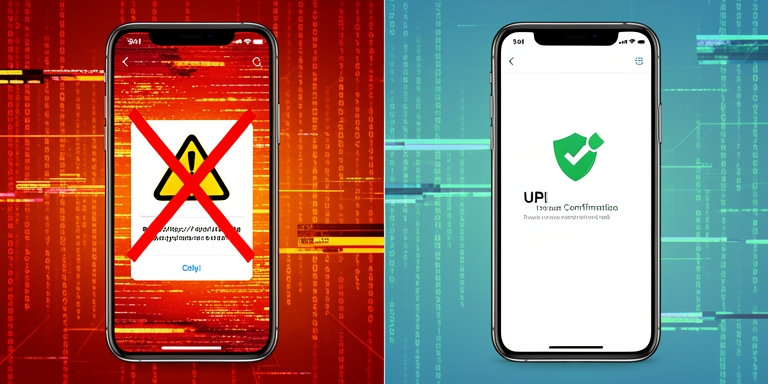
Cybercriminals are leveraging technical malfunctions as a tactic to deceive users and access sensitive financial data.
Why a Frozen Screen Could Be a Warning Sign
Experts note that fraudsters do not always need to breach the core security mechanisms of the Unified Payments Interface (UPI) to execute scams. Instead, they exploit vulnerabilities in device configurations, user behavior, and authentication processes. A frozen screen can serve as a deliberate distraction, prompting users to follow instructions from malicious actors.
How does the fake technical problem begin?
Attackers typically initiate these schemes through social media ads, messaging platforms, or malicious links. Upon clicking such content, users may encounter fabricated error messages or experience temporary device unresponsiveness. Cybercriminals then contact victims, impersonating bank representatives, technical support personnel, or service providers. They may urge users to grant access to their devices or share sensitive details under the guise of resolving the issue.
Why do app permissions increase the risk?
Malicious applications often request excessive permissions, including access to messages, notifications, and call logs. If users approve these requests without scrutiny, attackers can intercept banking credentials, one-time passwords (OTPs), and other confidential data. Additionally, Android’s accessibility features and device-control permissions may be exploited to monitor screen activity or perform actions on behalf of the user. Fraudsters may also诱导 victims into installing screen-sharing or remote-control tools, enabling real-time observation of device activity.
Do fraudsters need to break UPI security?
According to cybersecurity analyst Prof. Triveni Singh, fraudsters frequently rely on psychological manipulation rather than technical breaches. By creating a sense of urgency, they persuade users to voluntarily share authentication details or approve transactions. This approach bypasses the need to compromise UPI’s underlying security architecture. The authenticity of a transaction may appear legitimate if the user’s credentials are obtained through coercion or deception.
How can a fraudulent payment appear genuine?
A payment may seem authorized if a victim is tricked into entering their UPI PIN or approving a transaction. Screen-sharing tools allow attackers to guide users through subsequent steps, making the process resemble a legitimate interaction. This method obscures the true nature of the transaction, as the system records it as a user-initiated action.
What should users do if their phone screen freezes?
Immediate steps include refraining from entering banking or payment information. Disabling mobile data and Wi-Fi can prevent further communication with malicious servers. Users should inspect recently installed applications and revoke unnecessary permissions. Reviewing accessibility settings and device-administration access for unfamiliar apps is also critical.
What if banking information may be compromised?
If there is suspicion that financial data has been exposed, users should contact their bank through verified channels and review recent transactions. Changing passwords and credentials from a secure device is essential. In cases of financial fraud, reporting the incident to the national cybercrime helpline at 1930 is recommended.
Why device security matters as much as the UPI PIN
As digital transactions grow, securing the device itself is as vital as protecting the UPI PIN. Users must remain vigilant against unsolicited requests to install remote-control applications, share screens, or disclose sensitive information. Such actions should be treated as red flags, indicating potential malicious intent.

About Author









 English