

Open-Source Linux Container Tool for Mac: Run Linux Apps on macOS
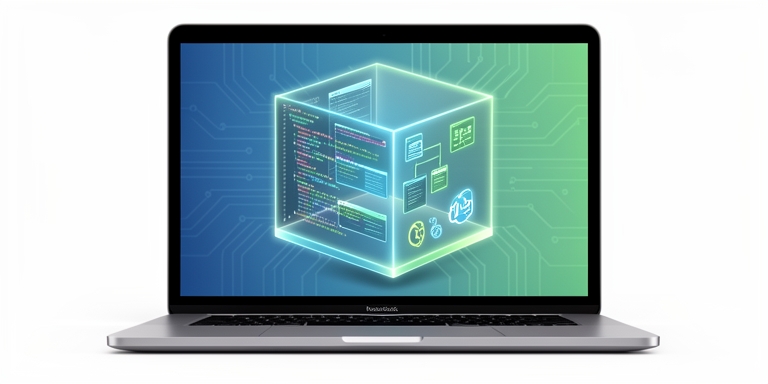
Apple Container is an open-source tool for running Linux containers on Apple silicon-based Macs, optimized for lightweight virtual machines and OCI-compatible images.
Introduction to Apple Container
Developers utilizing Apple silicon-based Macs have historically executed Linux containers via software reliant on a shared virtual machine architecture. The newly released Container project from Apple introduces a framework that allocates individual lightweight virtual machines for each Linux workload. Built using the Swift programming language, the tool is optimized for Apple silicon hardware. It facilitates the creation and execution of Linux containers as lightweight virtual machines while supporting Open Container Initiative (OCI)-compatible images, enabling developers to interact with standard registries. Containers constructed with this tool are compatible with any OCI-compliant application.
1.0.0 Release Features
Container Machine Feature
The 1.0.0 release introduces the container machine feature, designed for sustained Linux environments with deep integration into the host Mac system. Earlier iterations focused on transient containers created for specific tasks and discarded afterward. The new functionality allows developers to maintain persistent environments across sessions.
Configuration and API Changes
Configuration parameters are now managed through a TOML file, replacing previous user property-based settings. This update removes the container system property get and set subcommands, constituting a breaking change for command-line scripts relying on these functions. Additional modifications in the same release include a container cp command for file transfers between the host and running containers, addressing a long-standing feature request.
Networking and System Improvements
The team resolved discrepancies in the system df command, which reports disk usage metrics. Networking improvements tie each IP address lease to its XPC connection, preventing address leaks over time. The container run command now includes a –stop-signal option, while subcommand help outputs have been streamlined.
Technical Enhancements
Output formats for ls and inspect commands across containers, images, networks, and volumes now adhere to consistent structures in JSON, YAML, and TOML. The release discontinues support for the version 0 XPC application interface, with future versions planning to implement API versioning for client-server compatibility checks. Both configuration changes and API removals represent breaking updates, establishing a foundational baseline for subsequent development.
Requirements and Installation
The tool requires macOS 26, which includes necessary virtualization and networking features. Issues unreplicable on this macOS version are typically unresolved. Installation involves deploying a signed package from the GitHub releases page, followed by initiating the background service via container system start. An integrated update script manages transitions between builds.
Community and Availability
Community engagement has surged since the project’s launch, with the repository accumulating over 46,500 stars and nearly 1,500 forks. The tool is freely accessible on GitHub.
According to the Apple Container project documentation, the tool is designed to optimize Linux container execution on Apple silicon, leveraging Swift and providing compatibility with OCI standards.

About Author









 English